By the morning of 14 October the whole campaign was in, from the first morning to Lantern Night. My first message of the day was "how do I start a new game?"
I played it, and the first thing that stopped me was the card that offers you a quest.
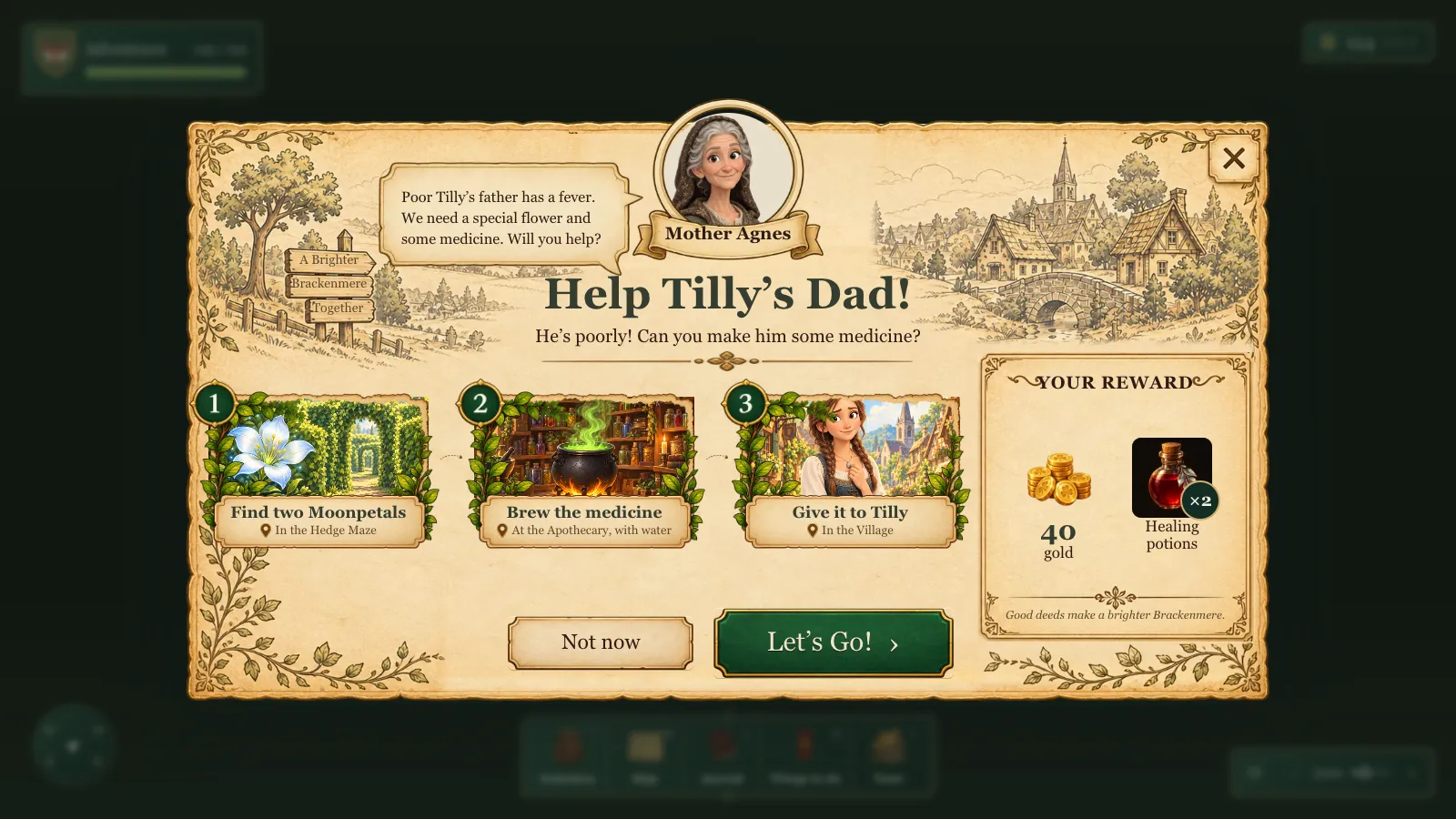 Where the day ended up: the same quest, offered on my own design.
A card we only just had
The card itself was a day old. On 13 October I had sent a long list from my kids' playtests, and two lines in it asked for this. "When undertaking a quest, the user should have an option shown, on a separate modal or something, saying 'Accept this quest ...' with the quest details, reward, how to undertake it and some pointers etc." And for the end of one: "we need to show a big success modal etc, and make the user feel good."
In the same list I asked that "only the core Quest option should have a quest icon". Other quests "should be discovered organically, rather than directed." The agents built both cards and one quest mark per conversation on the existing quest engine.
It worked. It was also a form.
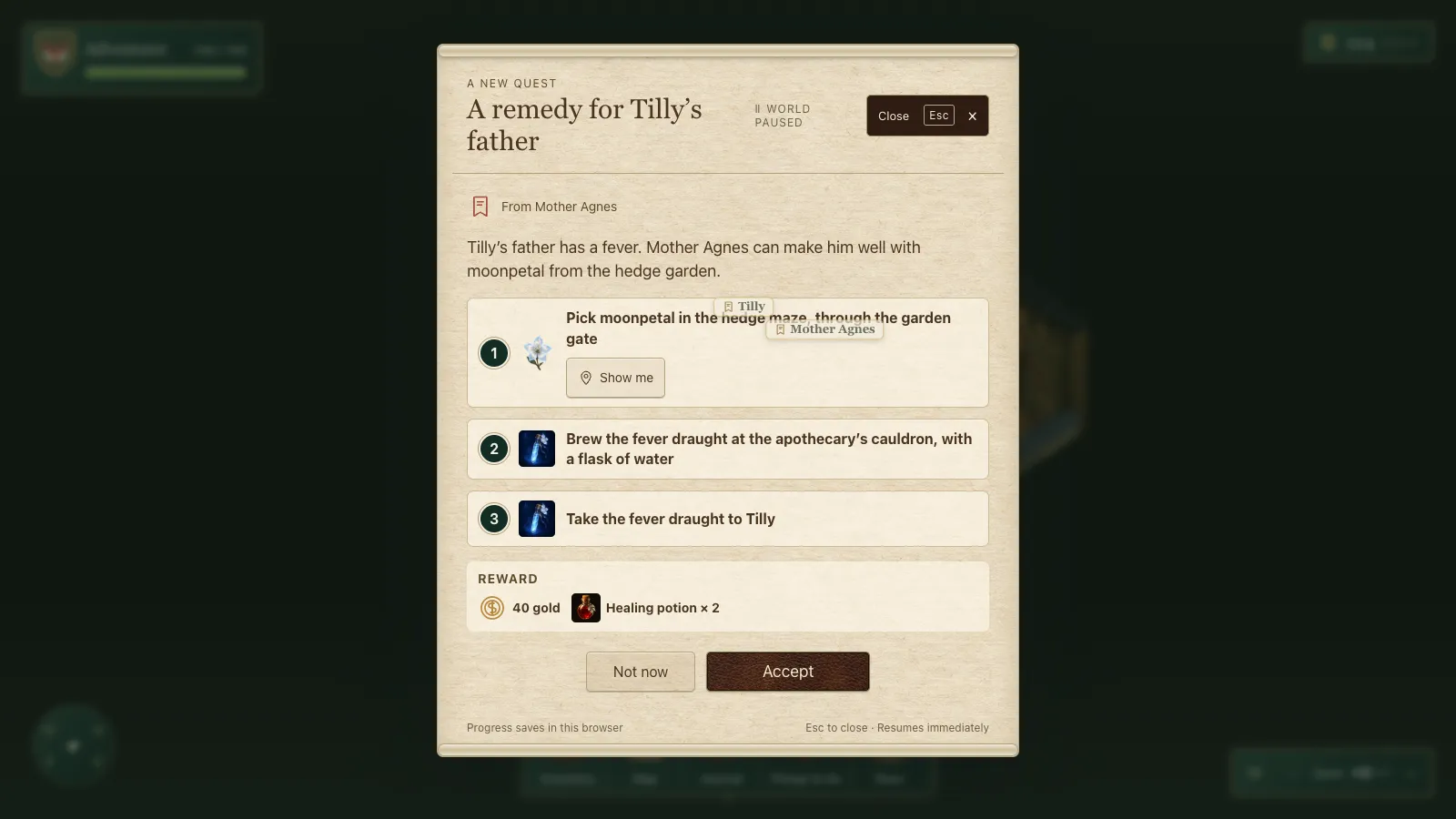 The accept card on the morning of 14 October. The name tags of Tilly and Mother Agnes float over it from the world behind.
"Too much for an 8 year old"
I sent a screenshot with a blunt note: "This needs a lot more UI work, it's very confusing without much visual hierarchy and too much for an 8 year old to take in."
Then my thoughts, in order. "Remove the bold esc close, subtle x in top right is fine." "World paused words aren't needed." Of the Show me button: "I don't know what 'Show me' does here? I don't think this should be on here... I think only 2 options are accept or 'not now'." For the giver: "Let's do a small mini face of her in a circle, then just her name. Maybe centralise?" And: "The quest items and reward need splitting up a little, and they need to be more visually obvious / scannable." I finished with "Do some of your own adjustments too (can we remove focus style as well). Take a look at all those bits, let's get this right."
A Claude owner started with a test of my one rule, that the card offers only Accept and Not now. It failed with three buttons, then passed with two. Everything else I listed went too, and each step became one short line.
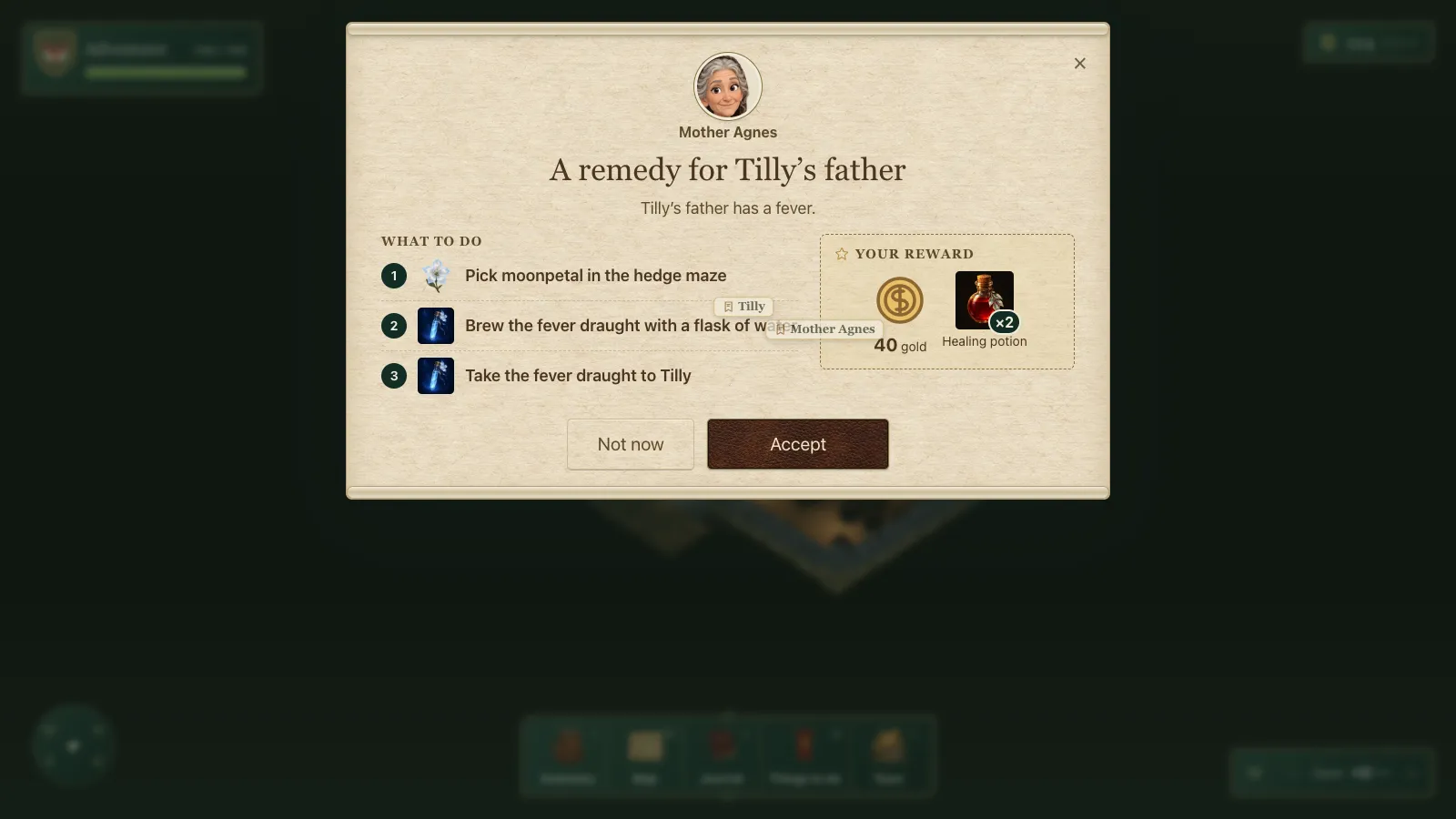 The agents' pass at my notes, later that morning.
It was cleaner. I had asked "can you show me an image of the new card when you get it", but while I waited I realised a list of fixes would never give me what I had in my head. So I stopped it: "I'm going to give you a new quest card layout and design, so don't spend any more time on that."
My own card
Half an hour later I sent two mock-ups, "3 and 5 card designs", and a pack of the parts: a parchment window with the village drawn along its top, the giver's face and a speech bubble, a big title, numbered picture steps with a pin saying where each happens, a reward panel and a green Let's Go!
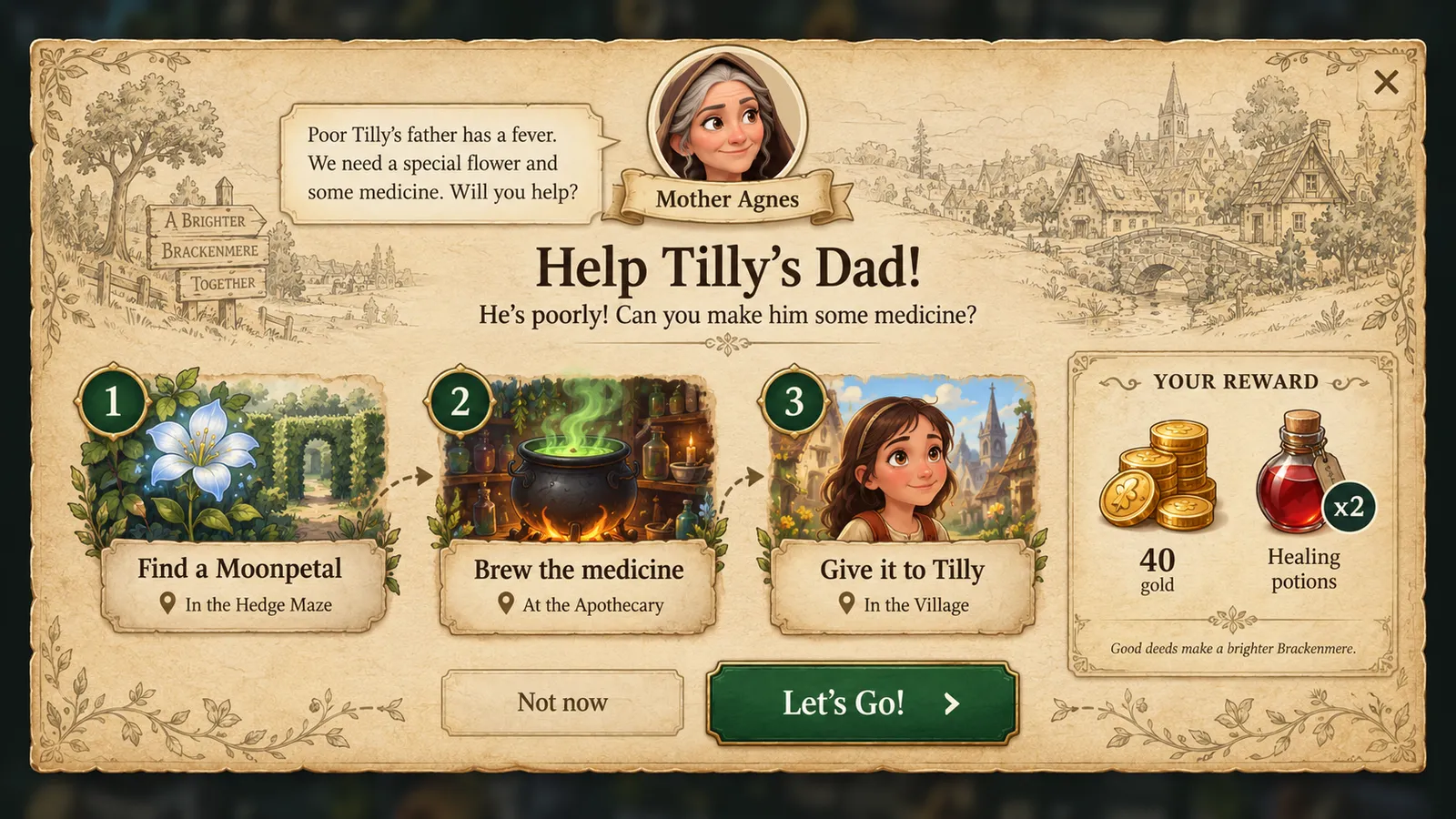 My three-step mock-up, as I sent it.
One rule came with them: "Make sure that you compress these images into AVIF or WebP etc. accordingly and don't use these kind of high res PNGs."
The owner built it to the mock-ups, placing the real title, steps and buttons in my window's own pixels. Every quest got short card copy and every step a painted picture. The mock-up showed XP, but the game has none, so it was left out.
Under the hood The step pictures were generated with OpenAI's image model under a US$25 stop: 61 pictures including a pilot and seven redraws, for US$2.63. They ship as AVIF with WebP fallbacks and no PNG, and a card loads only its own, so the first quest's card costs about 420 KB.
Smaller, everywhere
Late that morning the card came back and I sent a punch list of pictures. "The left edge of those flowers is wrong?" "Mother Agnes can be zoomed out a little." And the big one: "Doesn't work on phone, will need everything 'smaller'."
Each became a small fix: the vine repainted, all sixteen givers' faces pulled back to head and shoulders, and a phone layout where the steps become a row you swipe.
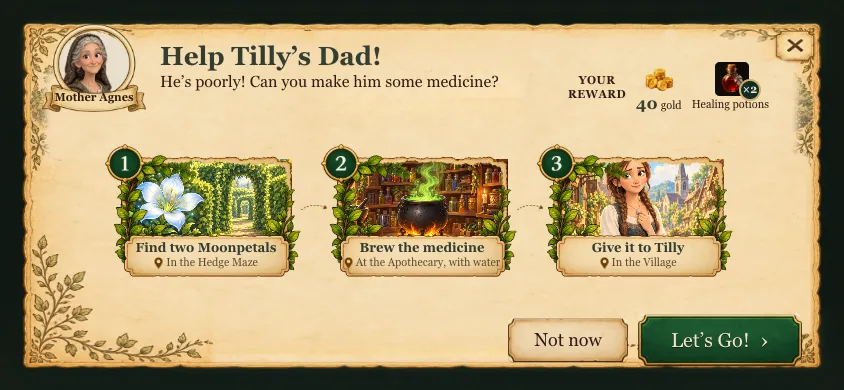 The same card on a phone on its side.
Under the hood The check that mattered was a sweep, not a screenshot: every quest's offer, started and success card opened in the live game at seven screen sizes down to a 360x640 phone, looking for scrolling, clipped text, overlaps and buttons under 44 px. Zero problems.
The design was merged to main that afternoon.
Everything else, the same way
I liked what that card had become, and the rest of the game no longer matched it. "We went through kind of systematically that quest card. Like, we made the escape just a small X in the top right. Kind of the button view, the kind of the overall layout. We've got some pieces to build up that kind of look. Let's put everything else through that kind of idea now." I named the house upgrades, the inventory, "the map, the quest, the journal, any of those kind of things that pop up", and added: "I definitely think this should go on its own kind of sub-agent."
A second owner took every panel through the same pass, with a frame, heading plaque, small × and buttons cut from my pack: inventory first, then the map, journal, trade, crafting, home, conversation, settings and tips. The same three things went everywhere: Close/Esc, World Paused and the footer lines.
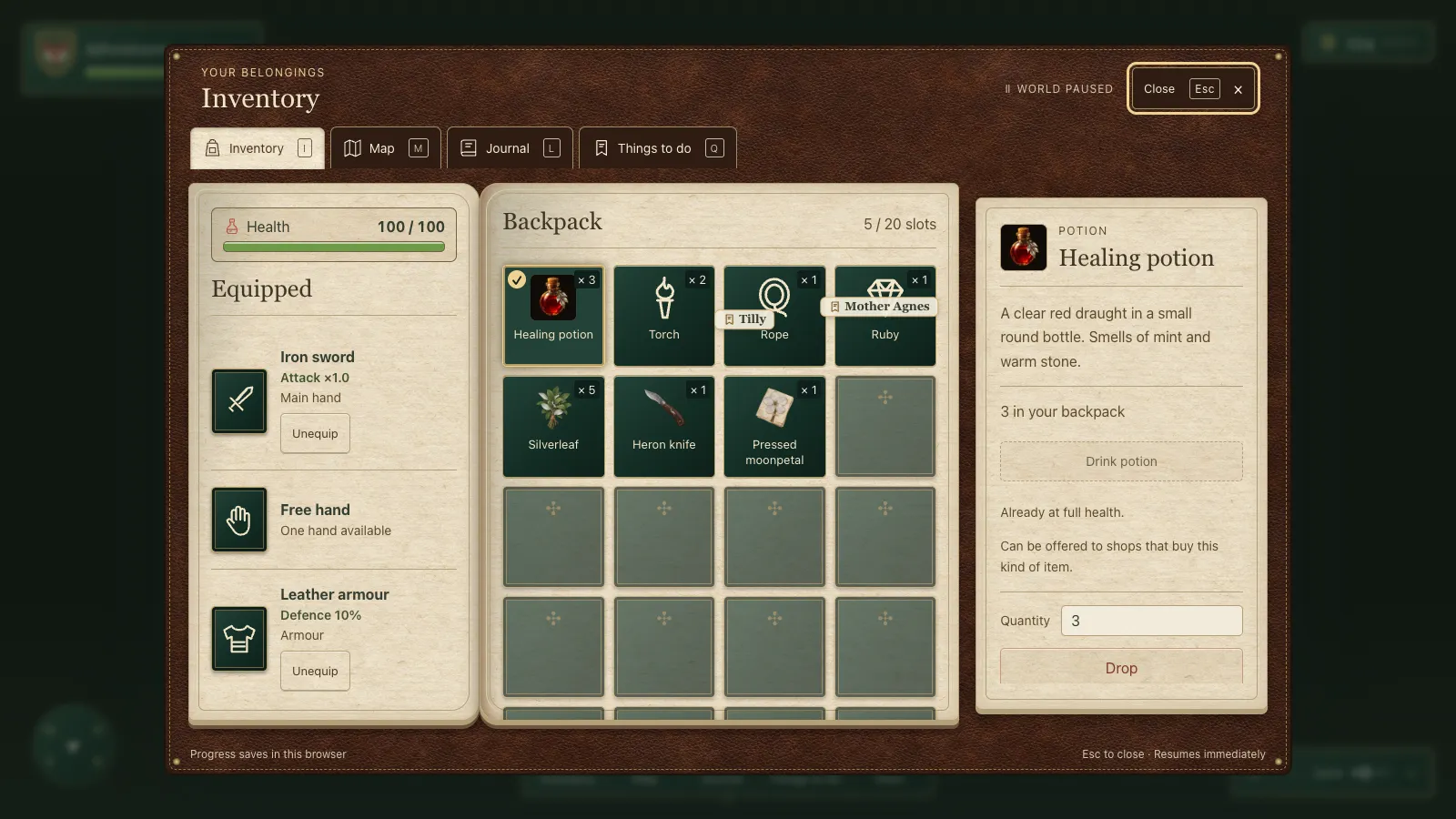 The inventory just before the pass.
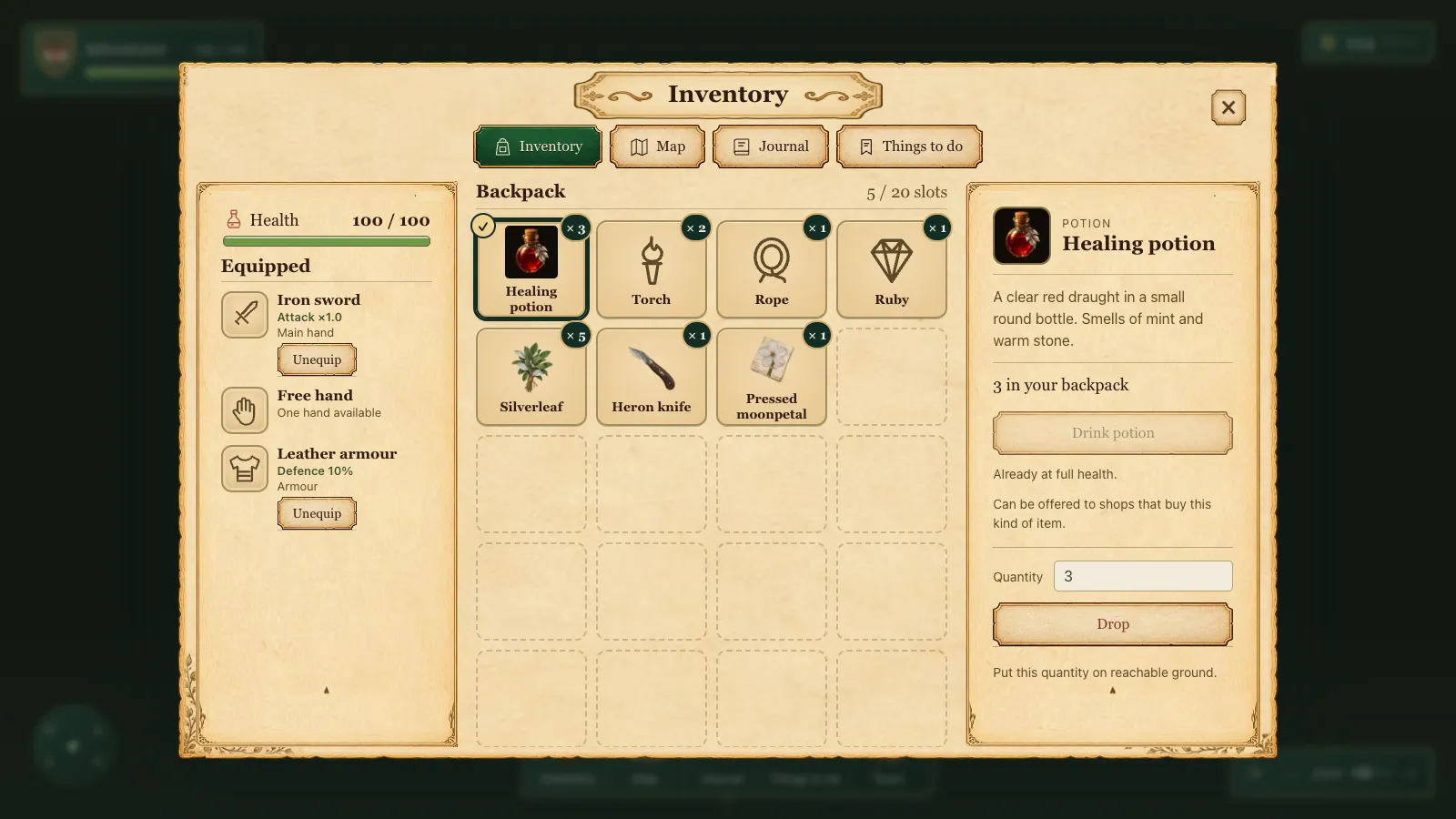 The inventory after, merged that afternoon.
One fix came free with it: while a panel is open, the world's overlays now hide, so people's name tags no longer float across the cards.
Under the hood The frame, plaque, buttons, cards and slots are defined once in a shared stylesheet; panels only set their size and place. The quiet focus (no ring when a card opens, a soft one once you use the keyboard) is one helper shared by seven parts of the UI.
That evening I played again. "Hover on the green button goes 2x size. Same for other buttons." And on the quest list in the corner: "Let's remove all this 'track' ability. Just show top left as needed." The buttons stopped growing and Track went: the HUD follows a quest by itself.
What I took from it
Removing things helped most. Every line I cut was one a child would otherwise have had to read and ignore: a keyboard hint, a status word, a button they could not explain. That held for every panel.
The agents were good at applying a list, and delivered a cleaner card within the morning. But the card I wanted only arrived once I drew it. A note says what is wrong; a picture says what right looks like, and the agents built a picture faithfully. Next time I care how something looks, I'll draw it first.