On 6 October I asked for "slicker moves" and reversed one of the game's own rules: hold Space, press a fresh direction, and the hero throws a named sword move or a two-direction finisher, while a tap still just swings. The same day Space became one button for everything, and the next day the monsters stopped standing still.
Brackenmere's design document had a line about fighting I had agreed with for weeks: "The player never presses a combo." Press Space and the hero swings; every third swing is heavier on its own. Simple enough for my kids, who are about eight.
On the morning of 6 October I wanted more. "I just want some other kind of slicker moves you can do to make it a bit more fun for people to play, to feel like they can do some really kind of slick looking moves."
Down then Right: the 360 power spin jump, halfway round.
The problem with the keys
Every key already had a job. As I told a Codex agent: "the arrow keys are also doing other things such as movement, and shift kind of runs but also blocks and space kind of attacks but also kind of opens and climbs."
So an arrow plus Space could not work. "If I hit a left or right or up or down, I'm going to turn or move forward. So we can't use that plus a space bar to do it." Then, thinking out loud, I turned it round: "We could invert that. If you press space, hold it down, and then while space bar is held down, you hit left or right, it does something. So a single press is just simply slash."
Then I pushed further: "Yes, that feels right as a starting base, but I also like some more slick moves... I'm thinking combos like hold down space and then you hit down left or up right or something."
Moves I already owned
The hero is rigged in Meshy, which has a library of animations for a rigged character: "I can easily download the main characters' animations for free. Not a problem." I went shopping: "theres also jump attack, triple combo attack, 360 power jump we could integrate etc." One puzzle: "there isnt a basic jump? Is it jump attack?" (It was: the export called Basic Jump is the web app's Jump Attack.)
Then I dropped five files into the chat, a spin jump, a jump attack, a dodge and counter, a reaping swing and a triple combo: "All here". I had said "Go on to a new worktree for this", so the agent worked apart from the village rebuild running alongside.
Under the hood
The hero's full skinned model is about 23 MB. Each new move ships as an animation-only file on the same skeleton, 30 to 49 KB after compression, so five moves cost the download almost nothing.
The rule that makes it work
The agent's spec turned this into one firm rule: only a new direction press after Space is held becomes a combat command. An arrow already held when you pressed Space keeps walking, and a reserved arrow stays reserved until you let go, so it cannot turn the camera mid-swing. Walking is never mistaken for a move.
One direction gives a single move: a step-in cut, a step-back cut or a broad sweep. Two in quick succession give a finisher: the jump attack, the triple combo, the dodge and counter, or the spin. A tap is still a tap.
The spec said plainly what it was undoing: "This changes the earlier statement in docs/design/vision.md that the player never presses a combo." The vision now reads "Moves can be simple or deliberate." Ordinary fighting stays one button; depth is there for whoever goes looking.
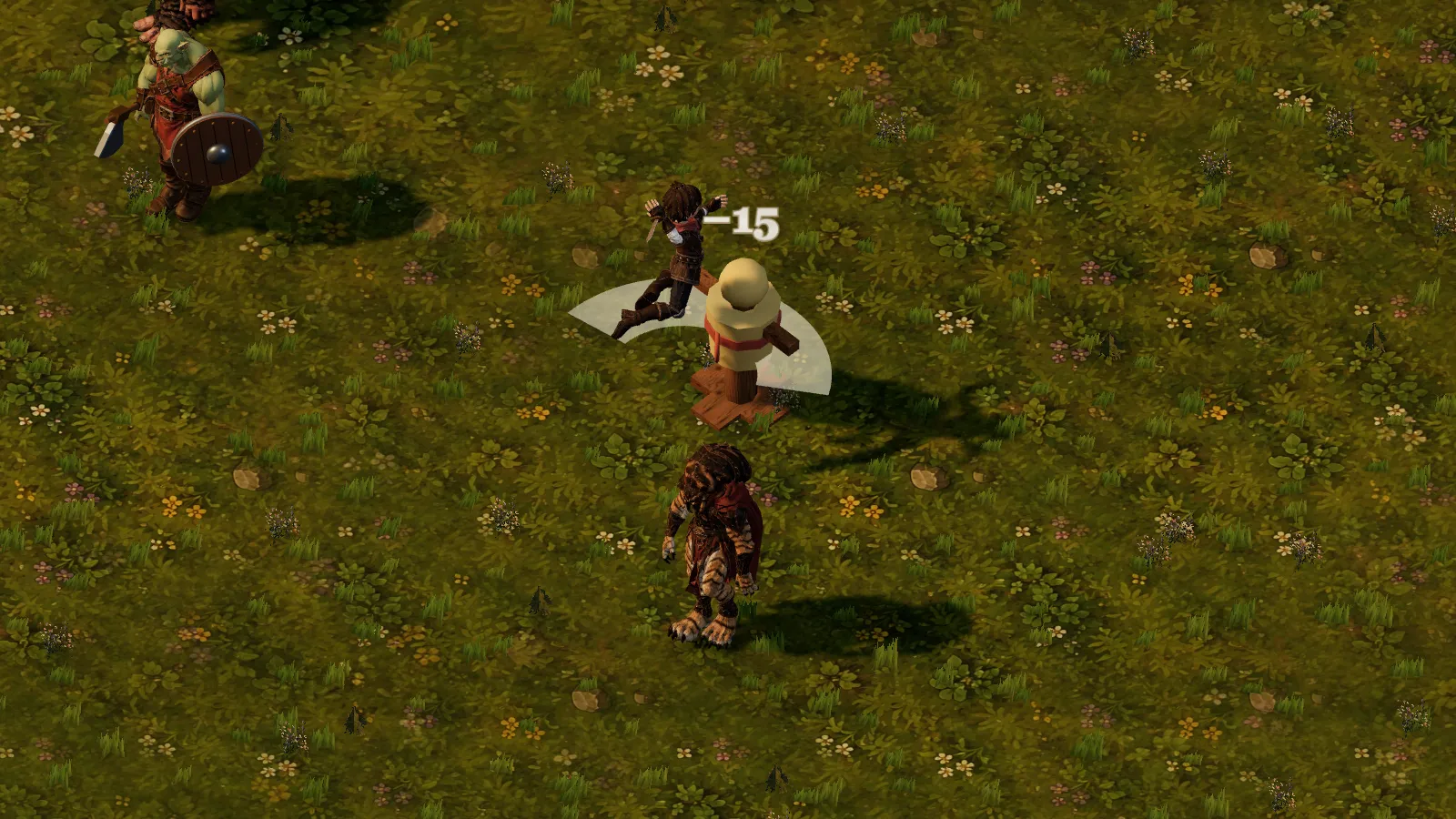
Up then Left: the jump attack, hitting at the top of the leap.
What the review caught
The moves were built, tested and merged into the day's integration branch by early afternoon. A blind art review of the screenshots scored them low, but one remark mattered: the jump "reads as another sword hit".
It was right, and not about art: the hit was timed after the hero had landed. The agent wrote a browser test that measured the hero's hips at the hit, watched it fail, moved the hit to the top of the jump and watched it pass.
Under the hood
The jump's contact sat at 3.3 s into the source clip; the airborne peak is at 2.0 s. At the old time the hips were 0.784 m up, lower than the 1.080 m of a hero standing still.
The re-review still disliked the white sweep arc and the size of the first-person glove, and left those to me.
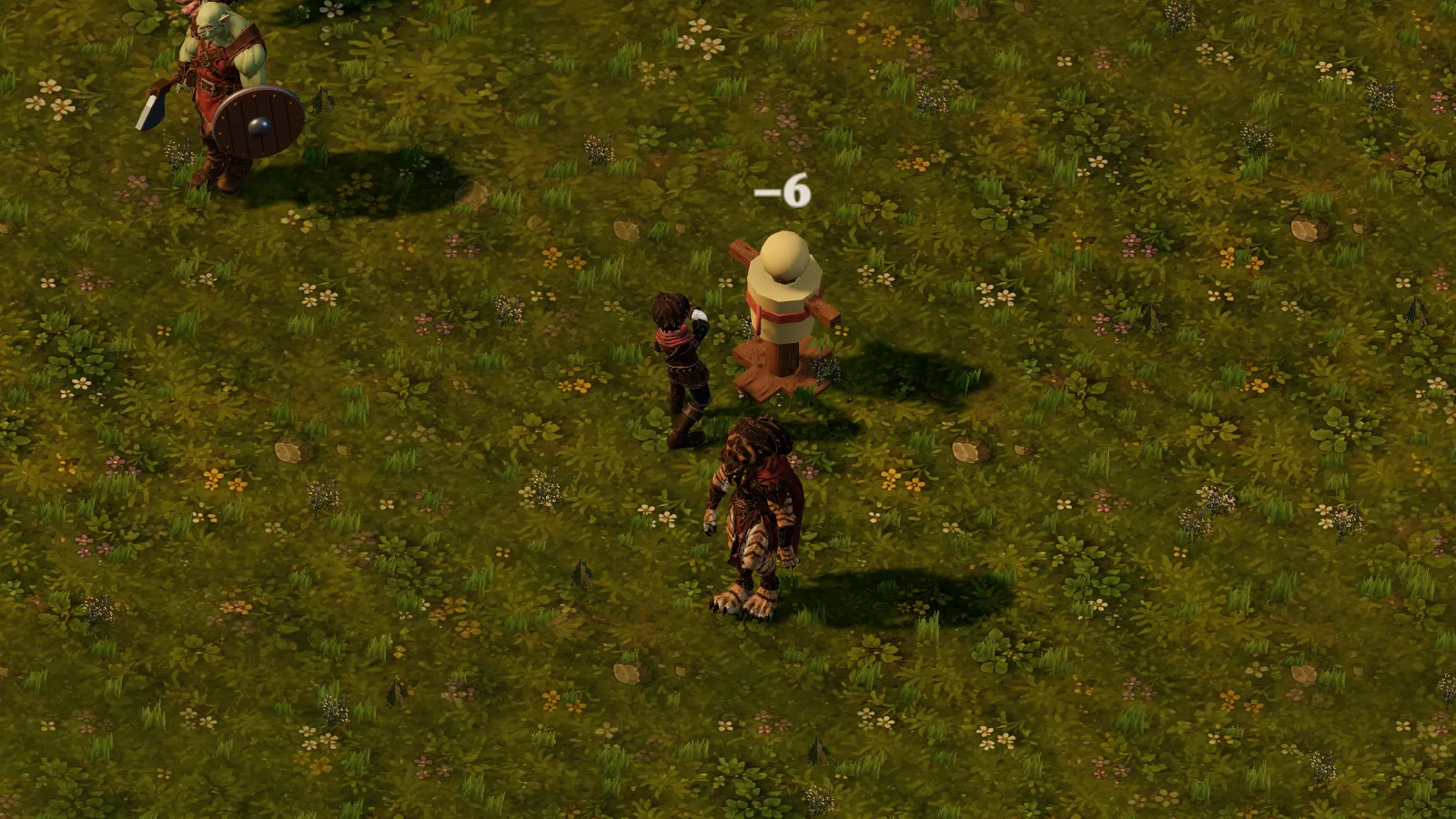
Up then Right: the triple combo, second of its three hits.
Space for everything
Earlier that morning, in a long list of notes, I had asked for two things the moves now leant on. "Lets use the space key to open doors, open chests, climb etc, as well as attack. I dont think E is needed." And: "Lets remove the isometric / first person toggle. Instead lets allow the + and - buttons to zoom in / out."
Space got one order of priority: a monster facing you, then whatever the screen offers (a door, a chest, a ladder), then an attack, and the prompt always says which. Zooming in past the closest overhead view now drops you into first person.
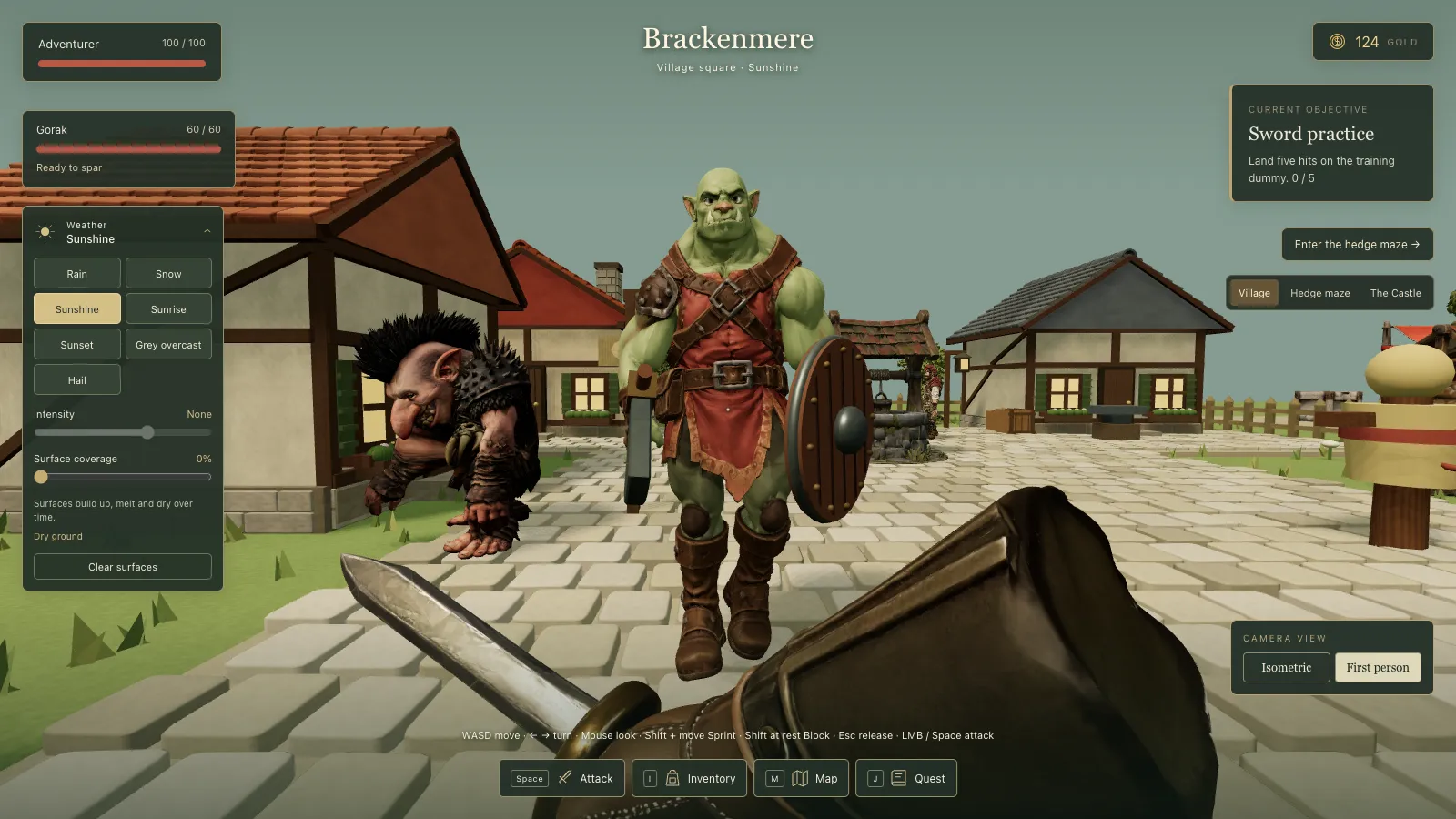
Around lunchtime I trimmed the bottom of the screen: "Remove the controls notice (WASD to move etc, that whole thing can go)" and "Remove 'attack'". With Space doing everything, an Attack button was noise.
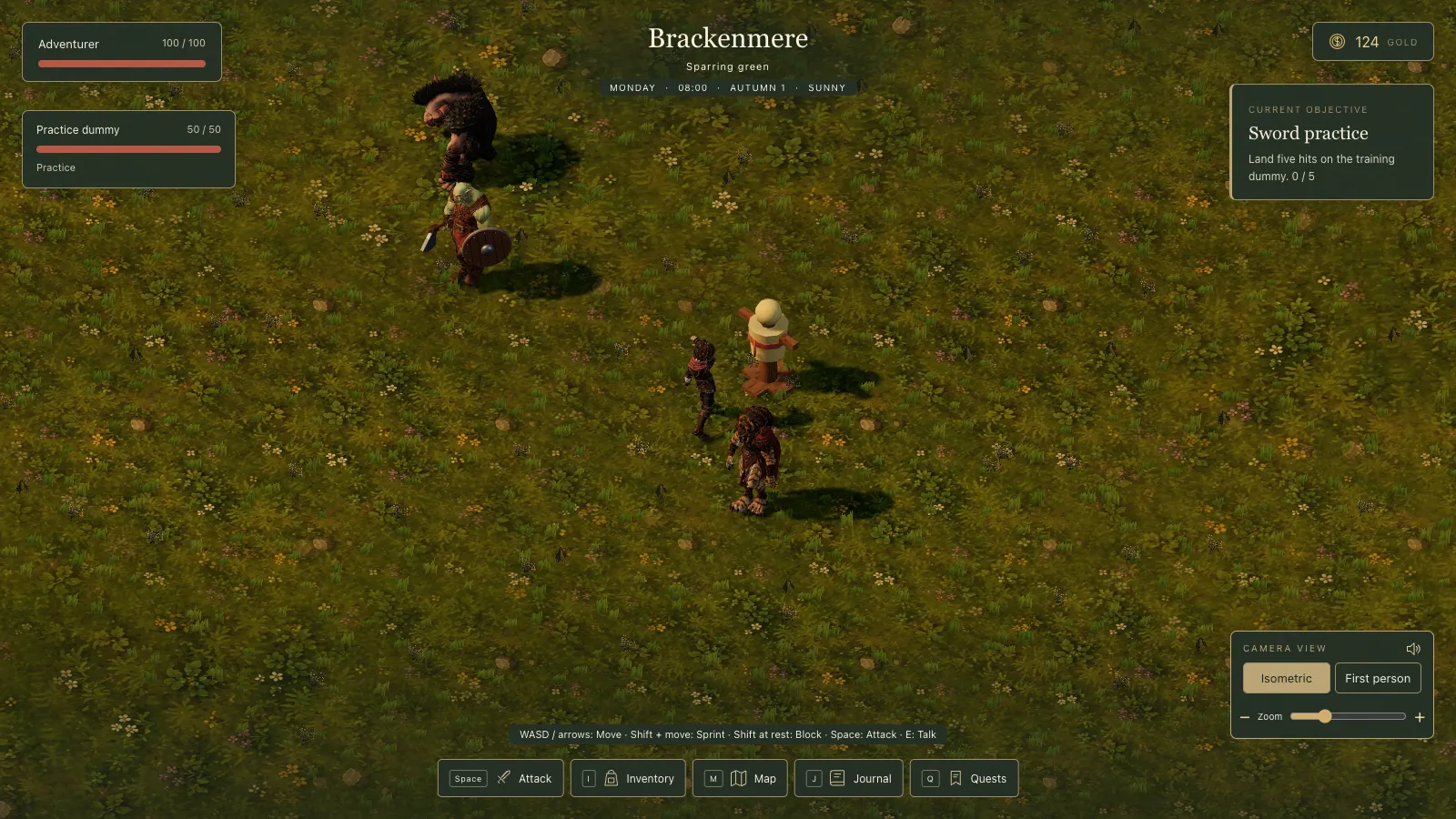
Before: the sparring green on the morning of 6 October.
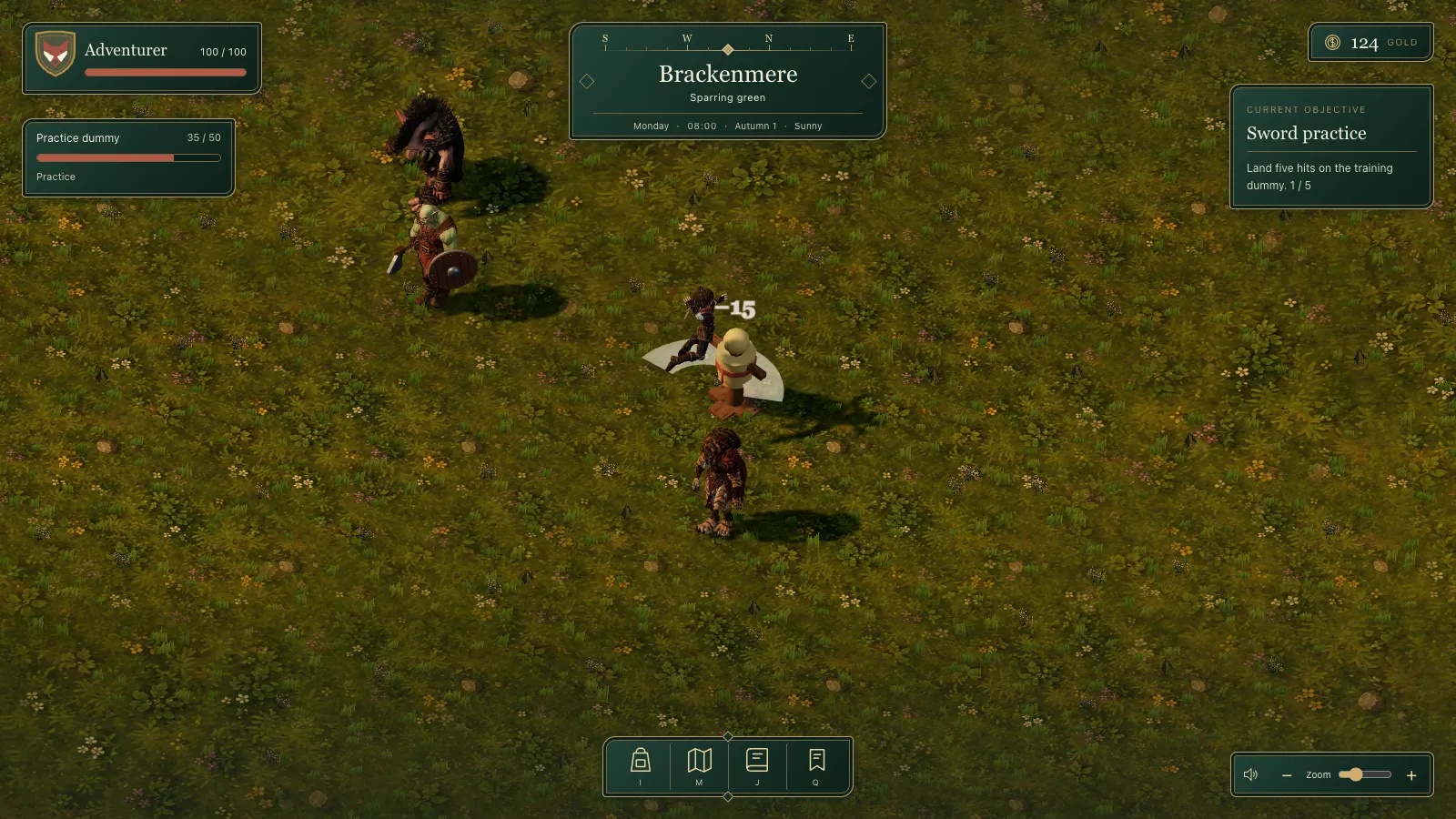
After the day's merge: icons only, zoom in the corner.
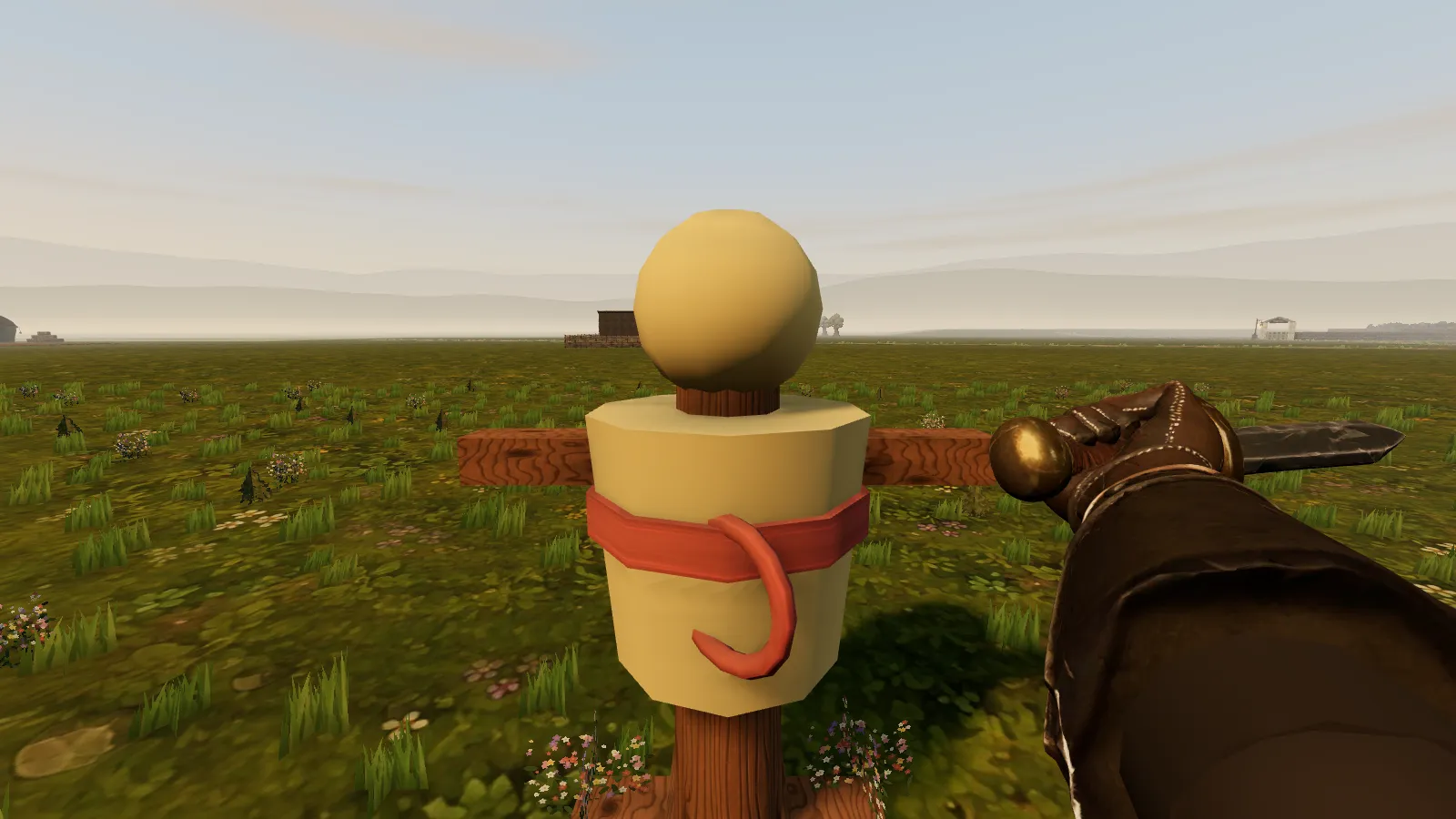
My list had a first-person note too: "When you attack, the glove has no 'arm' extending beyond it". That got a forearm, and the developer sliders that had crept into the HUD came out.
The spin in first person, with the forearm the glove had been missing.
Monsters that move
Slick moves are wasted on a monster that waits for you. My list had said so: "They kinda just are standing still till you get close and then they start moving... Right now they are too 1990's static."
On 7 October most monsters started wandering their own patch, and guards stay by what they protect. On sight they chase; lose them and they search where they last saw you and the junctions nearby, then go back. They never track you through walls, so getting away is possible and readable. And since I had asked "When a monster dies, if you walk over it can you go up a bit", the hero now steps over a fallen body.
What I took from it
The best idea of the day came from saying the problem out loud: every key was taken, so the answer was a way of pressing them that nothing else used. And a fresh press after Space is a rule a child never has to learn: walk normally and nothing odd happens.
It also taught me the vision is mine to change: no combos was right for a first version and wrong once the fighting worked.
Fighting in Brackenmere just got a lot more fun. You can still tap Space to swing your sword, which is all my kids (who are about eight) need. But now, if you hold Space down and press a direction, the hero does a proper move: a spin, a leaping strike, a triple combo. And the monsters no longer stand around waiting for you.
Hold Space, then Down and Right: the spinning jump attack, halfway round.
Every key already had a job
I wanted some slick-looking moves, but there was a problem. The arrow keys already move and turn you, and Space already attacks. So "arrow plus Space" could not work.
Thinking out loud, I turned it round: what if you hold Space first, and then press a direction? A quick tap is still just a swing.
How the moves work
The rule is simple, and a child never has to learn it: only a fresh arrow press while Space is held counts as a move. If you were already walking when you pressed Space, you just keep walking. Nothing odd happens by accident.
One direction gives a single move: a step-in cut, a step-back cut or a wide sweep.
Two directions quickly give a big finisher: a leaping strike, a triple combo, a dodge and counter, or the spin.
The animations came from a library for the hero's model, so I picked out five I liked and dropped them in.
Up then Left: the leaping strike, now landing at the top of the jump.
At first the leaping strike looked like any other swing, because the hit happened after the hero had landed. A second pair of eyes spotted it, and now the hit lands at the top of the jump.
Up then Right: the triple combo, on its second of three hits.
One button for everything
The same day, Space became the button for everything: attacking, opening doors and chests, and climbing. The game tells you on screen what Space will do right now. That meant the Attack button and the line of key instructions at the bottom of the screen could go.
Before: an Attack button, a line of key help and a camera switch.
After: a much tidier screen with just a few icons and a zoom control.
The camera switch went too. Now you just zoom in, and if you keep zooming in past the closest view from above, you drop into the hero's eyes. In that view, the glove holding your sword finally has an arm attached.
The spin seen through the hero's eyes, with the arm the glove had been missing.
Monsters that move
Fancy moves are wasted on a monster that just stands still until you get close. I said they felt "too 1990's static".
Now most monsters wander about their own patch, and guards stay near what they protect. When they see you, they chase. If you get away, they search where they last saw you, then give up and go back. They cannot see through walls, so escaping is possible. And when a monster falls, the hero now steps up over it rather than walking through it.
What I took from it
The best idea came from saying the problem out loud: every key was taken, so the answer was a new way of pressing them. And the rules of the game are mine to change. "No combos" was right at the start, and wrong once the fighting worked.
The first version of Renown gave my kids a rank, a title and a Book of monsters, and kept my own rule that the hero's health never grows. A day later I shot up four levels without getting any stronger, and asked for levels that really mean something.
One morning I asked whether we could look through the hero's eyes in the maze. By the next morning first person ran through the whole game, with a sword you can see swing, a gloved fist made from my own reference picture and aim assist that looks up at tall monsters.
Brackenmere started on a Saturday afternoon as a 90-line canvas sketch with one gardener and an old gate. By midnight it was a Three.js village with a sword, a rigged hero, three monsters, people you could talk to and a house with real roof tiles.
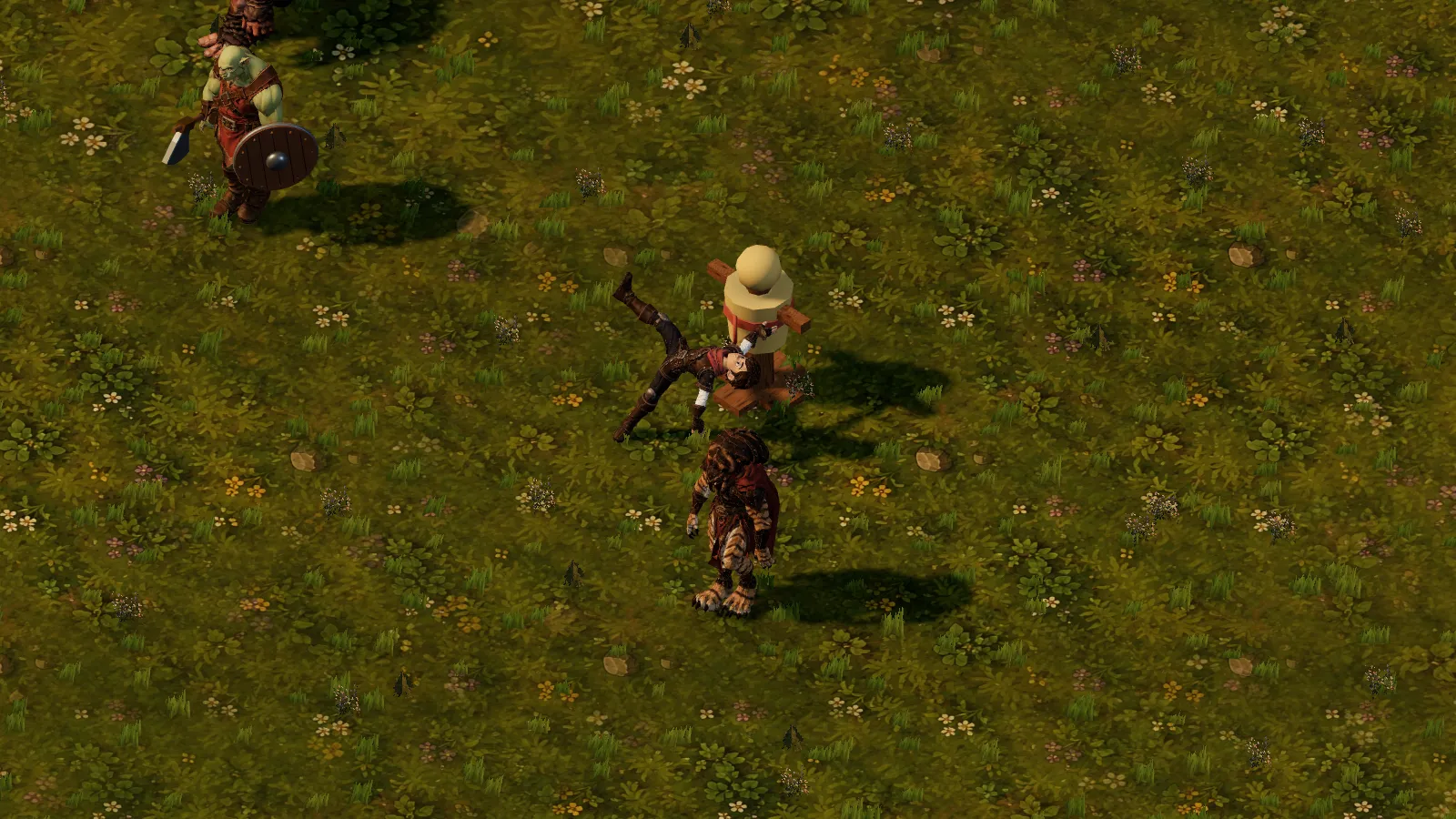 Down then Right: the 360 power spin jump, halfway round.
 Up then Left: the jump attack, hitting at the top of the leap.
 Up then Right: the triple combo, second of its three hits.
 Before: the sparring green on the morning of 6 October.
 After the day's merge: icons only, zoom in the corner.
 The spin in first person, with the forearm the glove had been missing.